• NotionTekoälytyötilasi
  • Notion-kalenteri
  • Notion Mail
  • Notion AITekoälytyökalut työhön
  • PalvelijatAutomatisoi rutiinityöt
  • TekoälymuistioTekoälyn täydellisesti kirjoittama
  • Enterprise-hakuLöydä vastauksia välittömästi
  • TietokantaKeskitä tietosi
  • AsiakirjatYksinkertainen ja tehokas
  • ProjektitHallitse kaikkia projekteja
  • IntegraatiotYhdistä sovelluksesi
  • TurvallisuusTurvallinen ja skaalautuva
. Katso mikä on uutta→
Lataa Notion-sovellus→
  • Tekoälyominaisuudet
  • Notion AITekoälytyökalut työhön
  • PalvelijatAutomatisoi rutiinityöt
  • TekoälymuistioTekoälyn täydellisesti kirjoittama
  • Enterprise-hakuLöydä vastauksia välittömästi
  • Tutustu käyttötapauksiin
  • Työkäyttö
  • Vapaa-ajan käyttö
  • Tiimit
  • Tekniikka ja tuote
  • Suunnittelu
  • Markkinointi
  • IT
  • Yrityksen koko
  • Startup-yritykset
  • Pienyritykset
  • Enterprise
  • Käyttötarkoituksia
  • Koulutus
  • Personal
  • Ammattimainen
  • Tekoälyn käyttötapaukset
  • Selaa
  • Mallit
  • Konsultit
  • Integraatiot
  • Tutustu
  • Mitä uutta
  • Asiakkaiden tarinoita
  • Blogi
  • Webinaarit
  • Opi
  • Kehittäjät
  • Academy
  • Tuote-esittelyt
  • Tuki
KehittäjätEnterpriseHinnoitteluPyydä demoa
Hanki Notion ilmaiseksiKirjaudu sisään
  • Ohjekeskus
      • Uusi Notionin käyttäjä
      • Sidebar navigation
      • Työtila ja sivuvalikko
      • Settings & preferences
      • Sivut ja lohkot
      • Tietokannat
      • Database views
      • Sharing & permissions
      • Notion Sites
      • Import & export your data
      • Connections
      • Automations
      • Notion AI
      • Notion AI Connectors
      • Custom Agents
      • External Agents
      • Administer your workspace
      • Privacy & security
      • Notion AI security
      • Notion on desktop, web, & mobile
      • Notion Mail
      • Notion Calendar
      • Marketplace & templates
      • Notion credits
      • Plans & billing
      • Troubleshoot
      • Explore developer tools
  • Hanki sertifiointi
  • Notion Academy
  • Tuki
  • Liity yhteisöömme
  • Löydä konsultti
  1. Ohjekeskus
  2. Käytössä koko yrityksen laajuisesti
  1. ← Käytössä koko yrityksen laajuisesti

Käytössä koko yrityksen laajuisesti

Opas

How workspace owners can set up teamspaces for their organization

How workspace owners can set up teamspaces for their organization
Opas

Who should be a workspace member, and who should be a guest?

Who should be a workspace member, and who should be a guest?
Opas

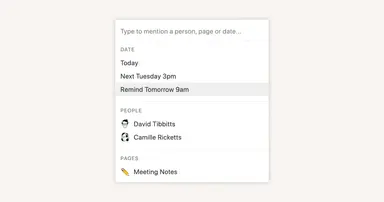
Reminders & @mentions

Reminders & @mentions
Opas

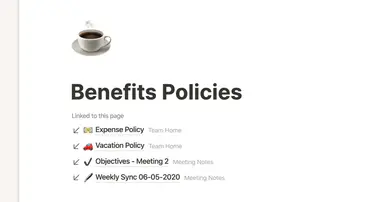
Creating links & backlinks

Creating links & backlinks
Opas

Creating a page

Creating a page
Opas

Getting started with templates for your team

Getting started with templates for your team
Opas

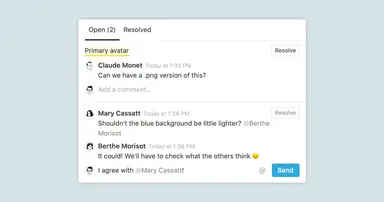
Comments & discussions

Comments & discussions
Opas

Building a comprehensive team notes & docs database

Building a comprehensive team notes & docs database
Opas

Give your to-dos a home with Task databases

Give your to-dos a home with Task databases
Opas

Creating a knowledge hub by organizing docs for large teams

Creating a knowledge hub by organizing docs for large teams
Opas

Block basics: build the foundation for your team’s pages

Block basics: build the foundation for your team’s pages
Opas

Connect your tools to Notion with the API

Connect your tools to Notion with the API
Opas

Best practices for internal communications on Notion

Best practices for internal communications on Notion
Opas

When to use each type of database view

When to use each type of database view
Opas

Use Asana link previews to keep your teams on the same page

Use Asana link previews to keep your teams on the same page
Opas

Organize, connect, and scale your Notion knowledge management system

Organize, connect, and scale your Notion knowledge management system
Opas

Writing & editing basics

Writing & editing basics
Opas

How teams can use comments for better collaboration

How teams can use comments for better collaboration
Opas

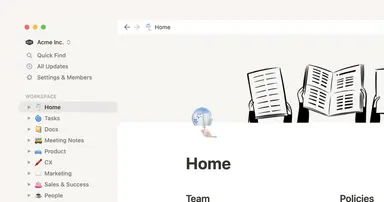
The best way to set up your team’s sidebar for clear organization

The best way to set up your team’s sidebar for clear organization
Opas

What is Notion?

What is Notion?
Opas

How to set up your Notion workspace for your team

How to set up your Notion workspace for your team
Opas

Assign custom database permissions to make your life easier

Assign custom database permissions to make your life easier
Opas

Grant the right level of access with teamspaces and groups

Grant the right level of access with teamspaces and groups
Opas

First steps when introducing Notion to a new teammate

First steps when introducing Notion to a new teammate
Opas

Navigating with the sidebar

Navigating with the sidebar
Opas

Create and use an upvote formula for team decisions

Create and use an upvote formula for team decisions
Opas

How to use and customize the sidebar with teamspaces
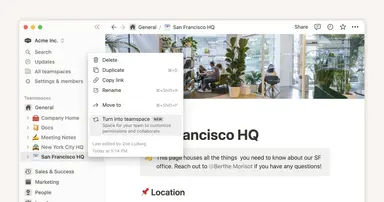
How to use and customize the sidebar with teamspaces
  • English (US)
  • Bahasa Indonesia
  • Dansk
  • Deutsch
  • English (UK)
  • Español (España)
  • Español (Latinoamérica)
  • Français (France)
  • Italiano
  • Nederlands
  • Norsk
  • Português (Brasil)
  • Suomi
  • Svenska
  • Tiếng Việt
  • עברית
  • العربية
  • ภาษาไทย
  • 한국어
  • 日本語
  • 简体中文
  • 繁體中文
© 2026 Notion Labs, Inc.
  • Yritys
  • Tietoja
  • Urat
  • Turvallisuus
  • Tila
  • Käyttöehdot ja tietosuoja
  • Yksityisyydensuojaoikeutesi
  • Lataa
  • iOS ja Android
  • Mac ja Windows
  • Posti
  • Kalenteri
  • Web Clipper
  • Resurssit
  • Tukikeskus
  • Hinnoittelu
  • Blogi
  • Yhteisö
  • Integraatiot
  • Mallit
  • Kumppaniohjelmat
  • Notion:
  • Enterprise
  • Pienyritykset
  • Personal
  • Katso lisää→